Online Generator Monitoring and Tracking Portal
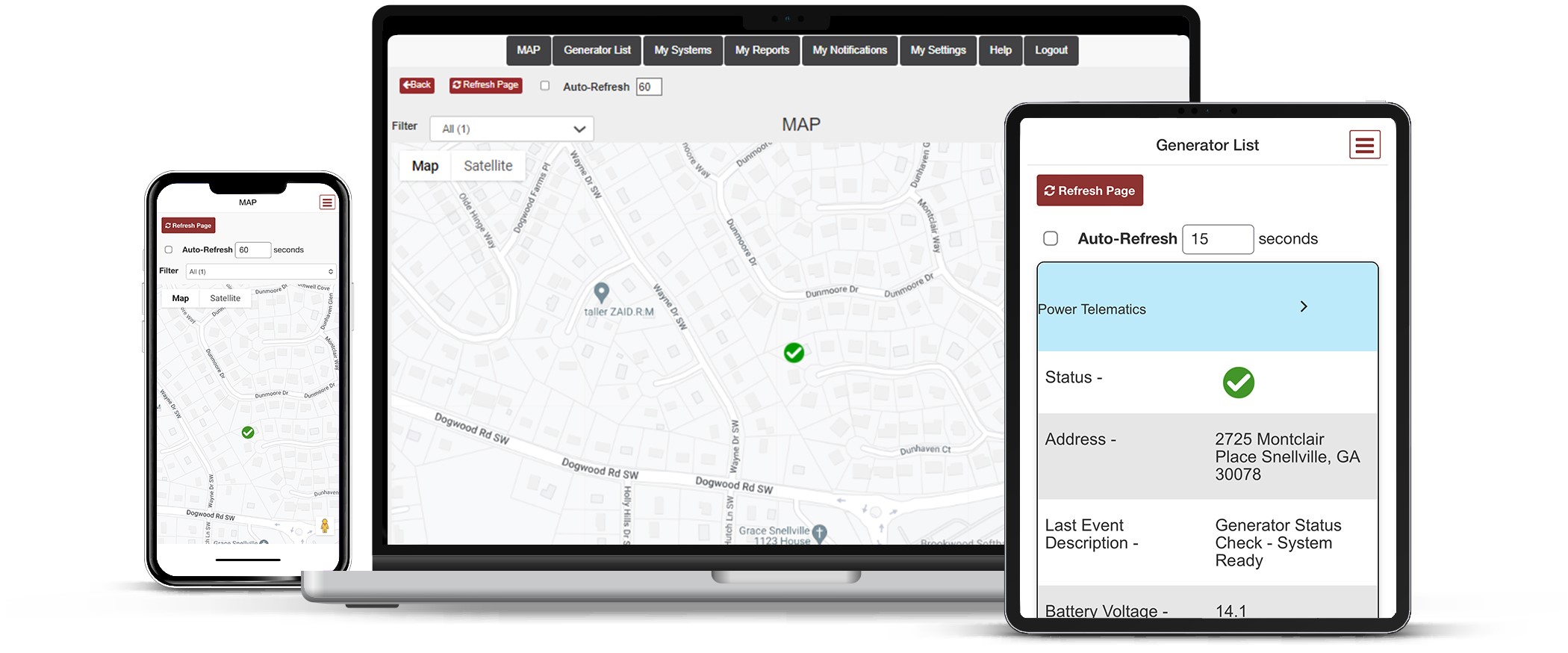
Power Link gives generator owners, fleet managers, and dealers complete visibility into their equipment through a single, easy-to-use online portal. From your desktop or mobile device, you can monitor stationary and mobile generators in real time, track equipment locations, view operating status and event history, receive customized email and text alerts, and generate detailed reports. Whether you’re managing a single generator or an entire fleet, Power Link brings all your equipment data together in one place, helping you stay informed, improve readiness, and respond quickly from anywhere.
List and Map View
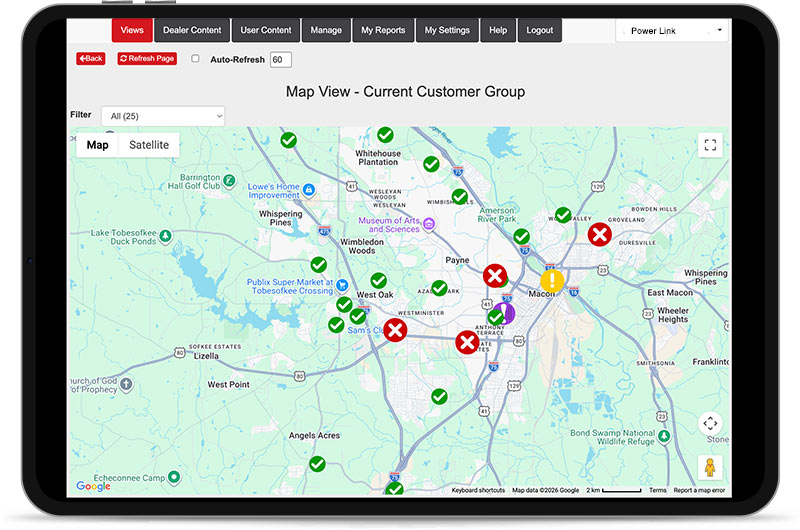
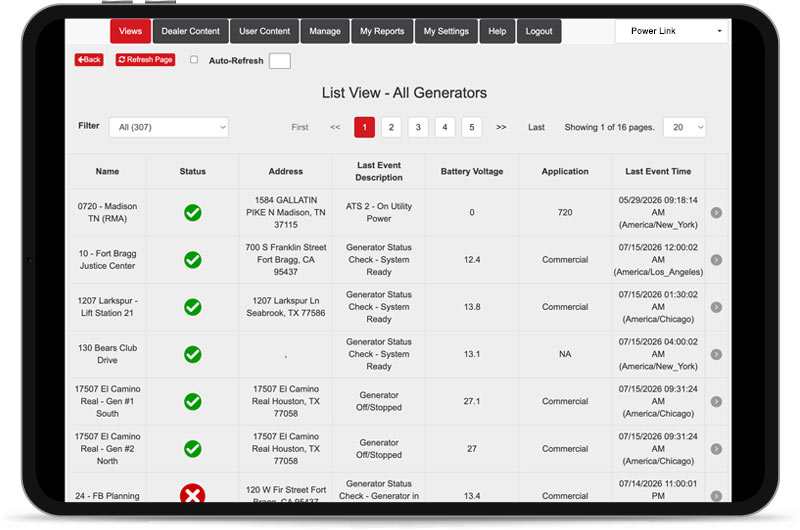
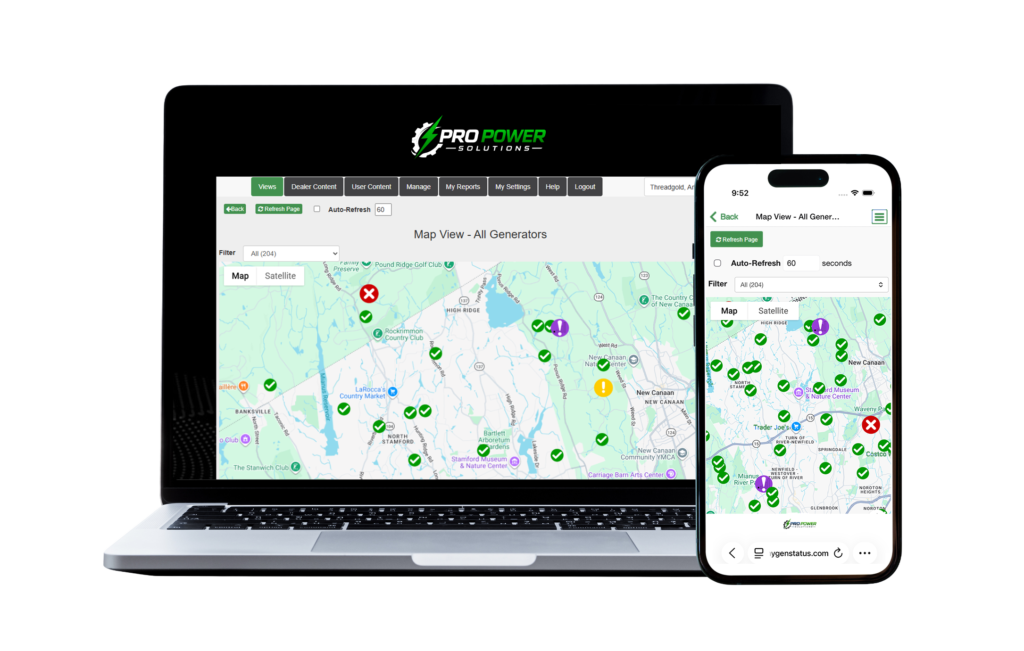
In the List and Map View, you can in real time track all of your monitors and filter by generator status like Good, Running, Alarm Active, or Monitor Offline. With the Auto Refresh feature, you can keep the List or Map running for live tracking.
- In the List View, you can customize the columns based on the information that matters most to you: site name, generator status, address, last generator event, battery voltage, generator details, etc.
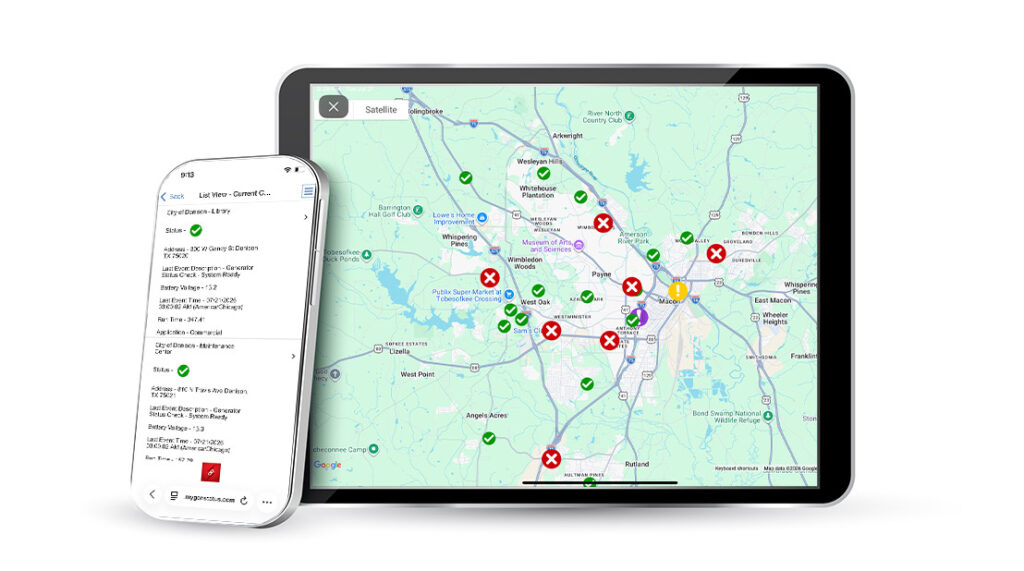
- In the Map View, all monitors are displayed in a Google Maps interface. See the current status of each monitor to quickly find units running or in alarm.
Current Status
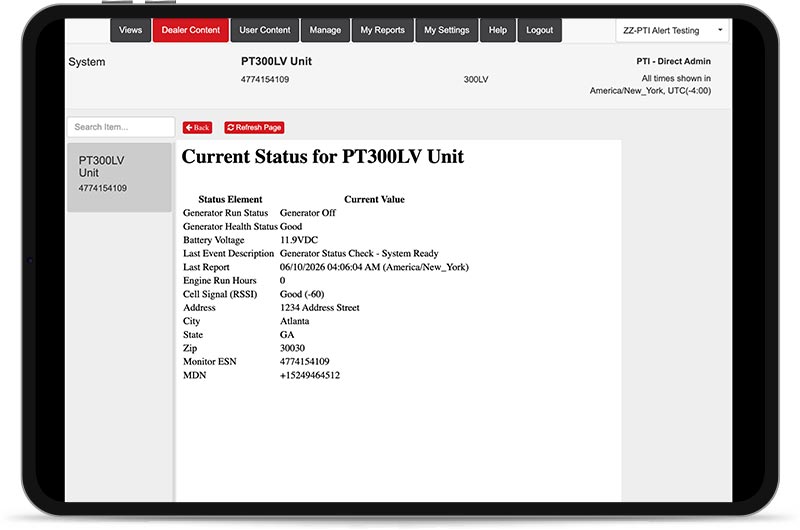
The Current Status tab is your snapshot view of each generator monitor. Instantly see essential generator status information like Health Readiness, Alarm, Battery Voltage, Engine Hours, Last Report Date, and more.
- Utilizing our accessory kits the Current Status page can display other critical information such as the statuses of Utility Power, Building Power, Power Source, and even Fuel Level.
- Utilizing more monitor digital inputs allows you to track generator information like Common Fault Alarm, Switch in Auto/Not in Auto, and ATS Switch Position.
Modbus Dashboard
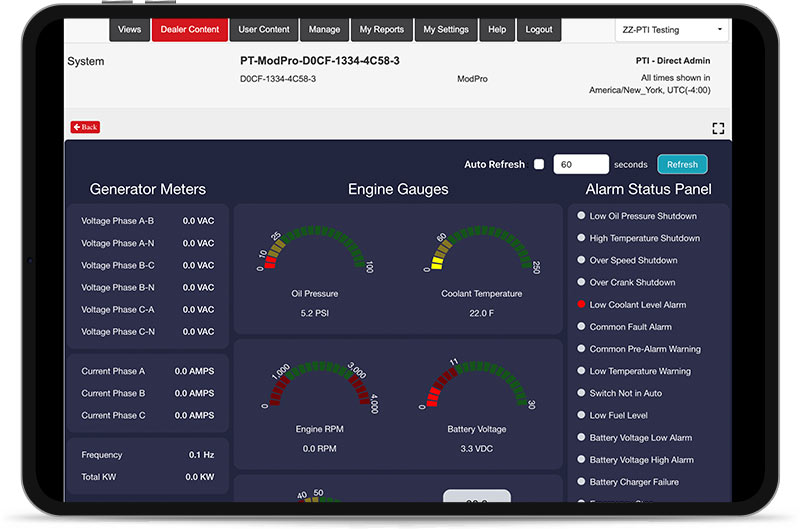
Just like the Current Status tab, the Modbus Dashboard allows you to dive deeper into the equipment to monitor analog values, alarms, conditions and real-time data. If connected to the controller, you can also track Fuel Level and vital ATS information.
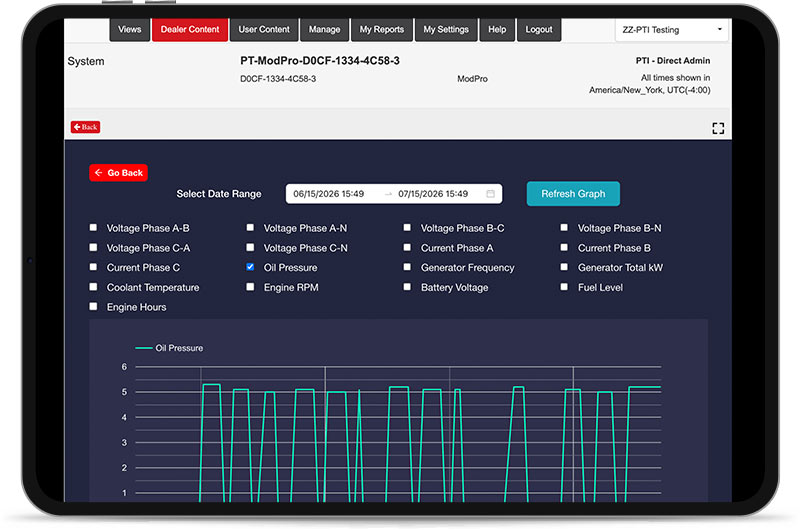
- With the Trend Graph, you can select various analog parameters to track data over time.
- Available when using the PT-ModPro with a Modbus compatible generator
Events Log
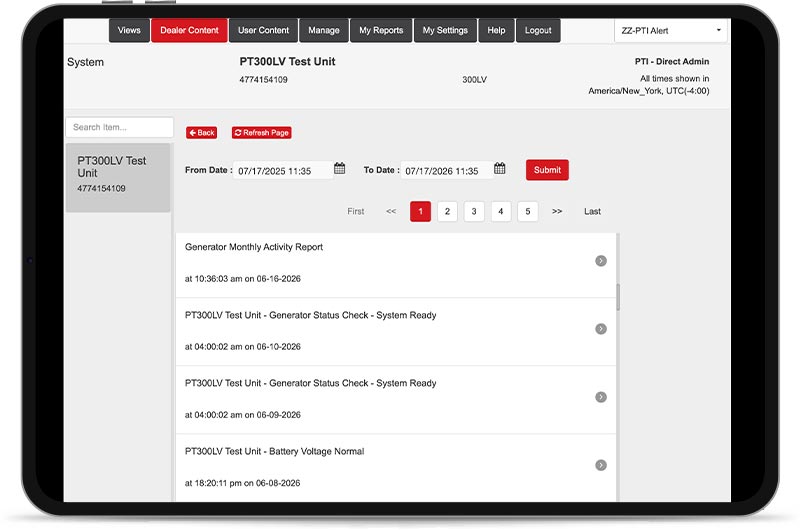
In the Events Log, you can see a running generator history such as run activity, alarms, and daily check in statuses since the date of monitor installation.
Alert Notifications
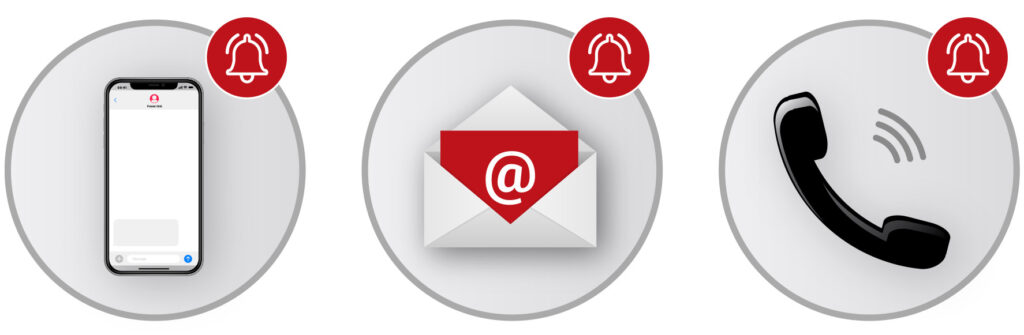
Customize what type of alert notifications you and your customers receive including by text message, email and voice call.
App
Power Link offers a mobile app for Android and IOS devices to instantly see your generator information on the go. You can access all the same data whether you are at your desk or on the job site, anywhere, anytime.
Commands
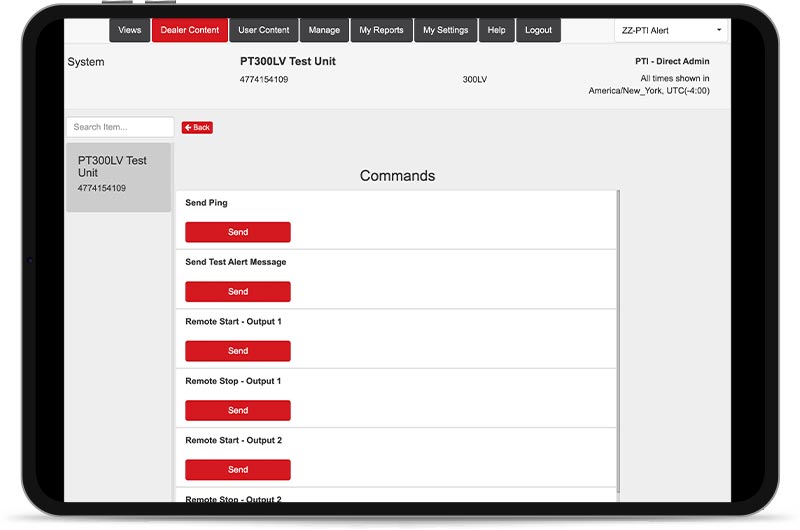
Power Link gives you the ability to send remote commands to the monitor to perform various functions such as status update, remote start and stop, Service Tech Mode, test message, and more.
Reports
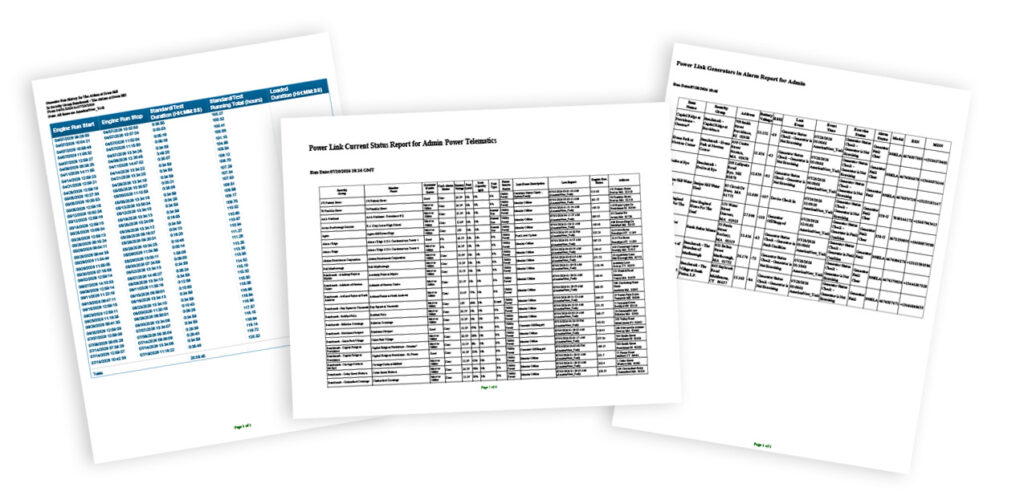
Generate a host of reports from run history, alarms, NFPA 110 compliance, units offline, inventory, and more! Automate these reports by scheduling them to go to your email when you like.
Custom Branding
When you partner with Power Telematics, we custom brand the portal with your logo, colors, contact info and more for a personalized approach to showcase YOUR company.
Want a Closer Look?
Interested in learning more or getting a demo of Power Link?
Complete the form to have our team reach out to you!